 Daisycloud
Everything lilocam does.
A whole camera, a darkroom and a companion to your Fujifilm, in one iPhone app. Here is every part of it, and what it saves you. Each name opens its page in the manual.
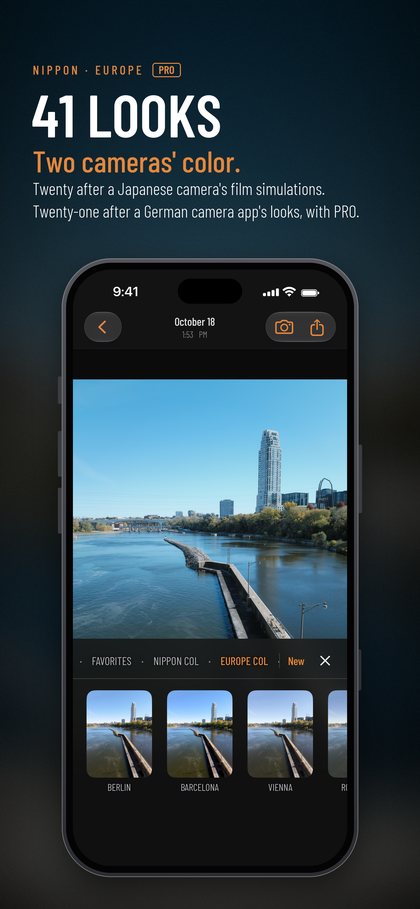
The looks, developed from the RAW.
Every look is the camera's own processing, worked out from the RAW negative for each picture.
- The Nippon Collection20 hand-crafted film emulations of Japanese colors, from punchy slide film to deep black and white.
- The European CollectionPRO21 hand-crafted looks and colors of German and European origin: rich, restrained and timeless.
- Real Fujifilm recipesAny custom Fujifilm recipe you find online, shot with its real settings, the way a Fujifilm camera shoots it. Not an imitation of the recipe: the recipe. Scan its QR code or paste it in.
- Your own recipesStart from any of the 41 looks, change what you like, name it and shoot with it.
- HDR, on any recipeInspired by the new HDR in Hasselblad's X2D II. Shoot it with a Fujifilm look, a Leica look or your own.
- Lens filters and bloomPROThe glow of light blooming through film, read from the picture's own highlights, on any look.
- Next: HasselbladHasselblad's colors are in the works for the next major release, included with PRO.
With your Fujifilm camera.
Pair an X-Trans V body and lilocam becomes its companion, with no cable and no other app. More cameras are coming.
X100VI, X-T5, X-T50, X-H2, X-H2S and X-E5.
- Recipe slots, C1 to C7Read, edit, write and swap the recipes in your camera's custom slots, wirelessly.
- Remote shootingShoot stills and movies from your iPhone with the camera's own live view and controls. Tethering for the studio, without the USB cable.
- Download from the cameraBrowse the card over the camera's Wi-Fi and bring photographs and movies to your phone.
- Develop your RAFs againBring in a RAF and develop it in any recipe, no X RAW Studio needed. Next to the camera's own JPEG, lilocam's develop matches at over 99% on average; pixel-peep and you'll be hard pressed to tell. See it side by side
Shooting.
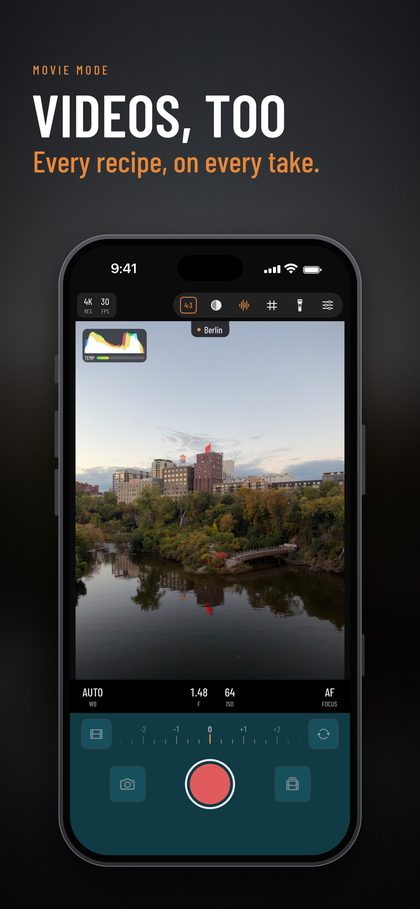
- Stills and moviesEvery recipe shoots both. Movies are graded live, in your recipe.
- P, A, S and MWith an EV dial under your thumb.
- Every lens, one tapEach of your iPhone's cameras, a tap away.
- Dynamic rangeDR100, DR200, DR400 and Auto, exposed at the press the way the camera does it, so highlights keep their color.
- Ratios and XPanFive aspect ratios, from 1:1 to the 65:24 panorama.
- Night mode and panoramasOn iPhones that shoot ProRAW.
- FocusTracking, peaking, a level and a histogram.
- Open gate and ProRes RAWFor movies, straight to an external drive.
- PGYTECH RetroVa gripShutter, M button, dial and W/T lever, each set the way you like. Its memory card becomes an album.
After the shot.
- Develop againEvery RAW negative stays yours. Try any recipe on it, any time, or go back to how it was shot.
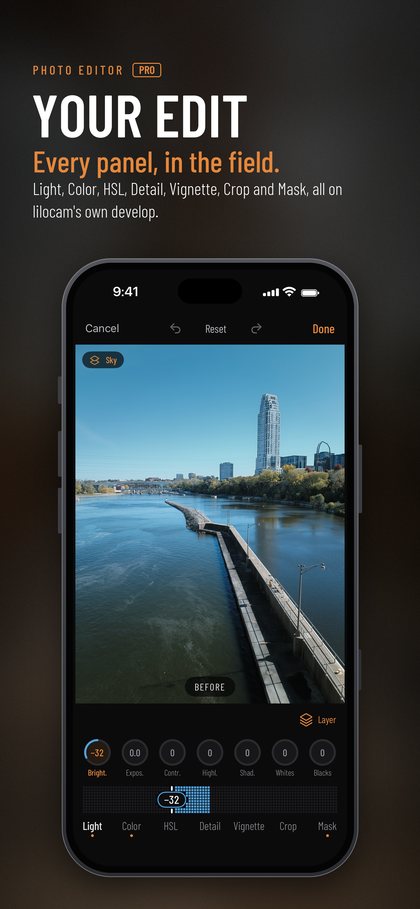
- The photo editorPROA full editor for the field, with masks and lens blur, in the same simple controls you use to build a recipe.
- Save where you likeTo lilocam's own album, to Apple Photos, or to an SD card or SSD.
- Frames and sharingFrame, share, print or export the pictures you love, up to 48 MP.

The photo editor at work.
Is lilocam expensive?
Up front, it can look that way. Over the years, it's the least you'll pay.
Leica LUX (a comparable app), Leica's camera app, is a subscription: $69.99 a year, and again every year after. lilocam PRO Lifetime is paid once. It has Leica's looks too, and Fujifilm's, the camera link and everything above.
| After | Leica LUX Pro (a comparable app) | lilocam PRO Lifetime |
|---|---|---|
| 1 year | $69.99 | $249.99 |
| 2 years | $139.98 | $249.99 |
| 3 years | $209.97 | $249.99 |
| 5 years | $349.95 | $249.99 |
| 10 years | $699.90 | $249.99 |
PRO Lifetime costs what about three and a half years of that subscription does. After that, lilocam is free, for good.
Early bird, until November 30: PRO Lifetime is 33% off, $164.99 instead of $249.99. That's less than two and a half years of the subscription. See the offer
Lifetime means lifetime.
Every new collection and feature comes with PRO. When new iPhones and their cameras arrive, lilocam keeps up; you won't pay for the next major version just to stay compatible.
Nothing to sell you later.
lilocam ships no LUTs, cubes or filters, so there will never be a look pack to buy. It's a true digital darkroom, like the one inside your camera.
The camera you don't buy.
If lilocam saves you from buying just one camera for its color, that's $1,000 or more you keep.
Leica LUX price from the US App Store, November 11, 2026; prices differ by country. Fujifilm, X-Trans, Leica, Leica LUX, Hasselblad, X2D, Ricoh, Lumix, PGYTECH and RetroVa are trademarks of their owners.
Carry only your iPhone.
On any given day, shoot it as a fixed-lens Fujifilm, Leica, Ricoh, Lumix, or any other camera you want to emulate with custom recipes. Hasselblad emulation collection coming in the next major version. Never buy a camera again just for the way it sees color.